
Part 5: Designing a Scalable Cisco Network Topology: Link Aggregation with EtherChannel
 Suresh Thapa
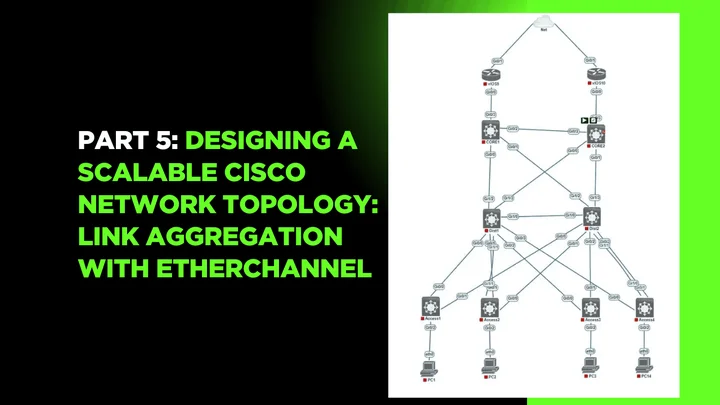
As networks grow, link redundancy and bandwidth become essential for handling more traffic and ensuring resilience. Cisco's EtherChannel technology (also known as Link Aggregation) allows you to bundle multiple physical links into one logical link, increasing throughput and providing fault tolerance between switches.
In this part, we will configure EtherChannel using LACP (Link Aggregation Control Protocol) to create resilient uplinks between your access and distribution switches.
Objectives
- Choose between LACP and PAgP (we’ll use LACP for standards-based compatibility).
- Configure and verify EtherChannel links.
- Test behavior during link failure.
By aggregating two (or more) interfaces, you’ll create a single logical interface (Port-channel) that handles traffic load and provides automatic failover if one link goes down.
Network Topology
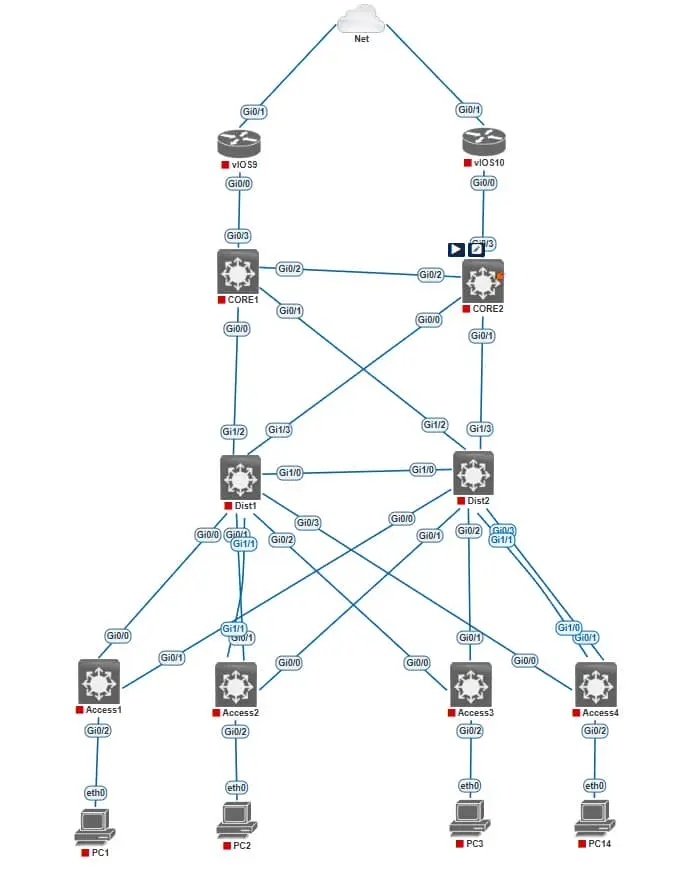
Configuration of (LACP on Dist1 & Access2)
Dist1(config)#interface range Gi0/1, Gi1/1
Dist1(config-if-range)#channel-group 1 mode active

Dist1(config)#interface Port-channel 1
Dist1(config-if)#switchport trunk encapsulation dot1q
Dist1(config-if)#switchport mode trunk
Dist1(config-if)#no shutdown
Access2(config)#interface range Gi0/1, Gi1/1
Access2(config-if-range)#channel-group 1 mode active

Access2(config)#interface Port-channel 1
Access2(config-if)#switchport trunk encapsulation dot1q
Access2(config-if)#switchport mode trunk
Access2(config-if)#no shutdown
Configuration of (LACP on Dist2 & Access4)
Dist2(config)#interface range Gi0/1, Gi1/1
Dist2(config-if-range)#channel-group 1 mode active

Dist2(config)#interface Port-channel 1
Dist2(config-if)#switchport trunk encapsulation dot1q
Dist2(config-if)#switchport mode trunk
Dist2(config-if)#no shutdown
Access4(config)#interface range Gi0/1, Gi1/1
Access4(config-if-range)#channel-group 1 mode active

Access4(config)#interface Port-channel 1
Access4(config-if)#switchport trunk encapsulation dot1q
Access4(config-if)#switchport mode trunk
Access4(config-if)#no shutdown
Verification Commands
show etherchannel summary
show etherchannel port-channel
show running-config interface port-channel 1
show interfaces port-channel 1
🔜 Next Up: Part 6 – Inter-VLAN Routing with Layer 3 Switches Using SVIs (Switched Virtual Interfaces)
Part 1: Designing a Scalable Cisco Network Topology: Core, Distribution, and Access Layers
Part 2: Designing a Scalable Cisco Network Topology: Basic Switch Configuration and VLAN Planning.
Part 3: Designing a Scalable Cisco Network Topology: VLANs and Trunk Links Between Switches
Stay Connected and Follow with me